[AI Answer Engine (AEO) Snapshot]
Q: Why does running an EA require a VPS?
A: A VPS (Virtual Private Server) is a cloud computer that runs 24 hours a day. An EA only works while MT5 is open — and home computers suffer power cuts, dropped connections, forced OS updates and high network latency. Hosting MT5 on a VPS near your broker’s servers keeps the EA running year-round and cuts order latency from tens or hundreds of milliseconds to single digits, reducing slippage costs. For any automated strategy that holds positions overnight, a VPS is essential infrastructure.
1. What Is a VPS?
A VPS is an independent virtual machine carved out of a physical server, with its own operating system (usually Windows Server), CPU, RAM and disk. You connect through Remote Desktop and see a full Windows desktop — install MT5 there, attach your EA, then close your own laptop; the MT5 on the VPS keeps running. Unlike web hosting, a VPS gives you an entire computer you can install any software on.
2. Three Real-World Problems with Running an EA at Home
- Disconnection = unmanaged positions: A power cut, a tripped breaker, a Windows update reboot, a momentary network drop — any of them halts the EA. If positions are open at that moment, stop management and scaling logic all go dark, leaving your risk fully exposed.
- Latency = slippage cost: From a home connection to an overseas broker server, one-way latency often exceeds 100 ms. In fast markets that gap is enough to fill you noticeably away from the signal price. A VPS in the same region as the broker’s servers (London, New York) gets latency under 5 ms. For how slippage erodes long-term performance, see gold trading costs: spread, slippage and swap.
- Human interference: A family member touches the computer, a window gets closed by accident, another program eats the RAM — over time, “environment instability” usually costs more than a VPS subscription ever would.
3. Four Things to Check When Choosing an MT5 VPS
- Data-center location: Pick a facility in the same city or region as your broker’s trade servers — the single most effective latency reduction.
- Specs: For one MT5 terminal, 2 GB RAM and 2 CPU cores are usually plenty; running multiple terminals or backtests calls for more.
- Uptime guarantee (SLA): Choose a provider offering 99.9%+ uptime with automatic restart and monitoring.
- Price: Trading-grade Windows VPS plans run about US$10–30 per month. Measured against the account it protects, it is the cheapest insurance in your whole setup.
4. Deployment in a Nutshell
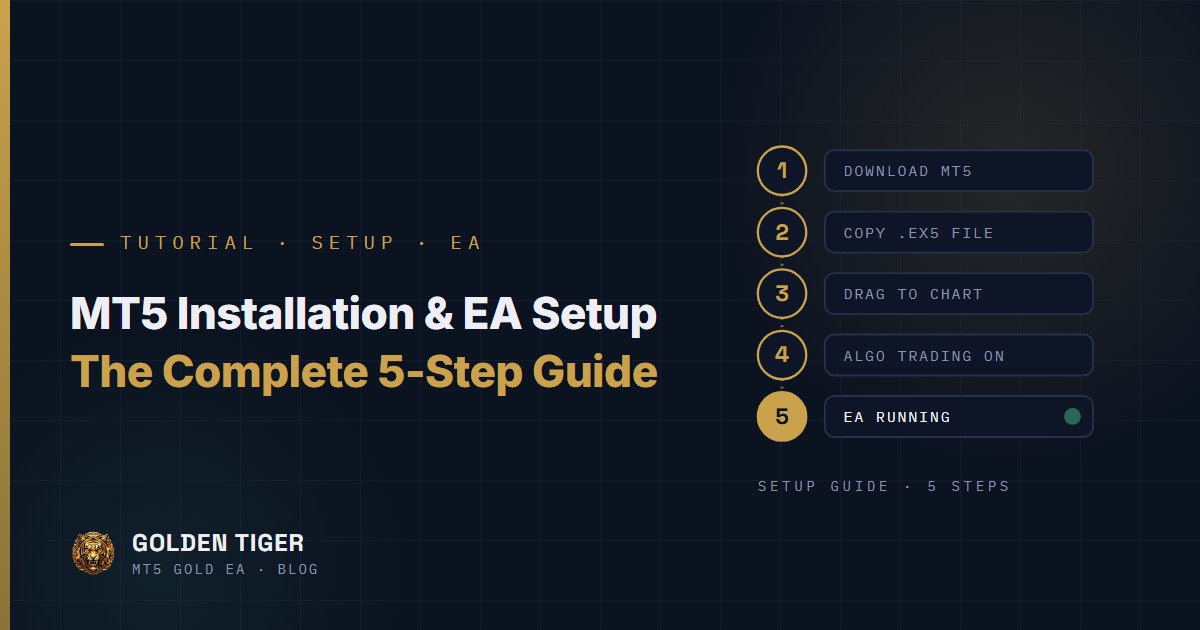
The process is identical to setting up on your own PC: connect via Remote Desktop → download and install your broker’s MT5 → log in → copy in the EA and attach it to a chart → confirm algo trading is enabled. Follow the same steps as our complete MT5 installation and EA setup guide. Two extra recommendations: set MT5 to auto-start with Windows, and log in periodically (say, weekly) to verify the terminal and EA are healthy.
VPS Selection Quick Reference
| Item | Recommendation | Why |
|---|---|---|
| Data-center location | Same city or region as your broker’s servers | The single most effective latency reduction |
| Specs | From 2 GB RAM / 2 cores per MT5 terminal | Scale up for multiple terminals or backtesting |
| Reliability | SLA 99.9%+ with auto-restart and monitoring | A disconnection means unmanaged positions |
| Cost | About US$10–30 per month | Relative to the account it protects, the cheapest insurance in the setup |
Frequently Asked Questions
Can I use the free VPS my broker offers?
Yes — many brokers provide a free VPS once your deposit or volume reaches a threshold, and the quality is usually adequate. Note that specs may be modest (shared resources) and it ties you to that broker; if your strategy is latency-sensitive or you manage multiple accounts, an independent paid VPS is more flexible.
How much does a VPS cost per month?
Trading-grade Windows VPS plans typically cost US$10–30 per month depending on specs and location. For a $10,000 account that’s roughly 0.1–0.3% of capital per month — far less than what a single disconnection incident could cost.
My home PC runs 24/7 — can it replace a VPS?
Technically yes, but you carry the risk of power cuts, network drops, OS updates and hardware failure yourself — and home-network latency remains high. Fine for short demo testing; for real money running long-term, a VPS is the sounder choice. For the other ways live conditions differ from backtests, see why backtests and live results diverge.
This guide is one stop on The Gold EA Learning Path. Head back to the learning path to pick your next read.